
improved
courier
Plain Label Update
We've been busy over here at Starshipit to bring you new functionality with our Plain Labels.
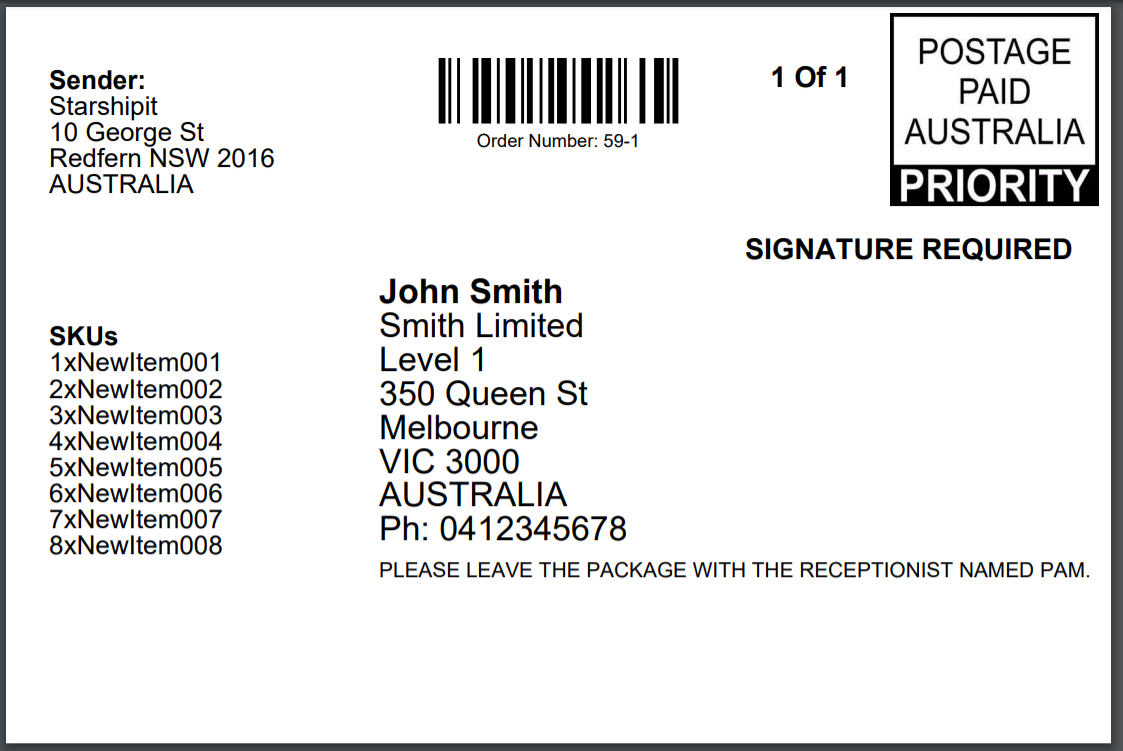
Item SKUs can now be displayed on 100x150mm labels.
You can now have very long sender and receiver addresses and these will now display properly on the 100x150mm labels.
To enable the feature:
- Go to Settings > Couriers > Plain Label
- Tick Display item SKUs on labels.
- Click Save.
Other changes:
- You can now have very long sender and receiver addresses and these will now display properly on the 100x150mm labels.
- Delivery instructions are no longer cut off on the 100x150mm labels
- The 100x34mm label now has a space between the building and street field.